
Building a gaming PC starts with choosing the right components because each part directly impacts your gaming performance. Knowing how to choose components for a gaming PC is crucial.
In this guide, we’ll cover the key components you need—like the CPU, GPU, and motherboard—and help you make informed choices for your gaming PC.
Setting Your Budget
Before choosing components, it’s important to set a budget. Knowing how much you can spend helps you make smart decisions and get the best performance for your money. A clear budget prevents overspending on one part while skimping on another, which could hurt your gaming experience.
Focus on the GPU and CPU first, as they have the most impact on gaming performance. Aim to spend about 40-50% of your budget on the GPU, especially for high-end gaming. The CPU should take up around 20-30% of your budget to ensure it complements your GPU well.
The rest of your budget can go toward the motherboard, RAM, storage, and power supply. These parts are important but don’t need to be as high-end as the GPU and CPU.
Choosing the CPU (Central Processing Unit)
The CPU, or Central Processing Unit, is the brain of your gaming PC. It handles all the calculations and tasks that keep your games running smoothly. While the GPU is crucial for rendering graphics, the CPU plays a vital role in overall system performance, especially in tasks like game logic, physics, and AI. A strong CPU ensures that your games load quickly and run without lag, making it a key component in your build.
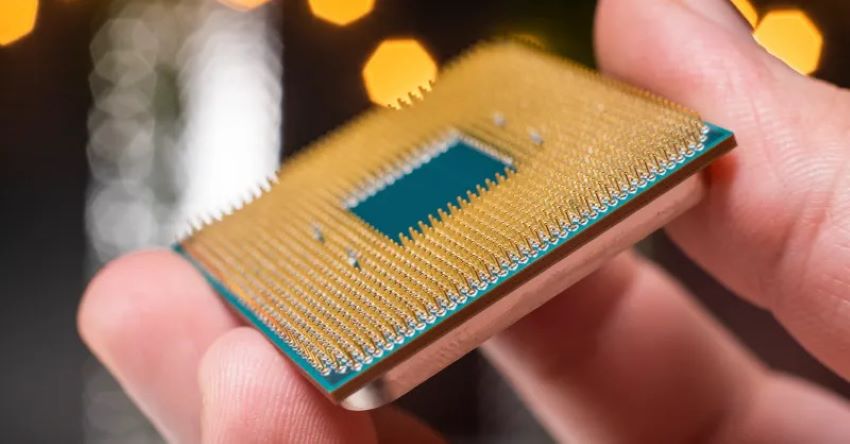
When choosing a CPU, consider these key factors:
- Core Count: More cores allow better multitasking and performance in games that use multiple cores.
- Clock Speed: Higher speeds (measured in GHz) generally mean better performance, especially in games.
- Brand: AMD and Intel are the leading brands. AMD is often better for multi-core tasks, while Intel excels in single-core performance.
Selecting the GPU (Graphics Processing Unit)
The GPU is the heart of your gaming PC, responsible for rendering images, videos, and animations. It plays a crucial role in determining how well your games perform, particularly in high-resolution and high-FPS (frames per second) scenarios. Whether you’re aiming for smooth 1080p gaming or pushing the limits with 4K resolution, choosing the right GPU is key to delivering the best visual experience.
NVIDIA vs. AMD
When selecting a GPU, you’ll primarily be choosing between NVIDIA and AMD, the two leading brands in the market:
- NVIDIA: Known for its cutting-edge technology and features like Ray Tracing and DLSS (Deep Learning Super Sampling), NVIDIA GPUs are often the go-to for gamers looking for top-tier performance, particularly in 1440p and 4K gaming. They tend to offer better power efficiency and cooler operation.
- AMD: AMD GPUs often provide better value for money, especially in the mid-range segment. They offer competitive performance and are well-suited for gamers on a budget or those looking for solid performance at 1080p and 1440p. AMD’s FidelityFX Super Resolution (FSR) is a viable alternative to NVIDIA’s DLSS, providing performance boosts in supported games.
Picking the Right Motherboard
The motherboard is the backbone of your gaming PC, connecting all your components and ensuring they work together seamlessly. It houses the CPU, GPU, RAM, and storage, and provides the necessary connections for peripherals and power. Choosing the right motherboard is crucial for building a stable and upgradable system.
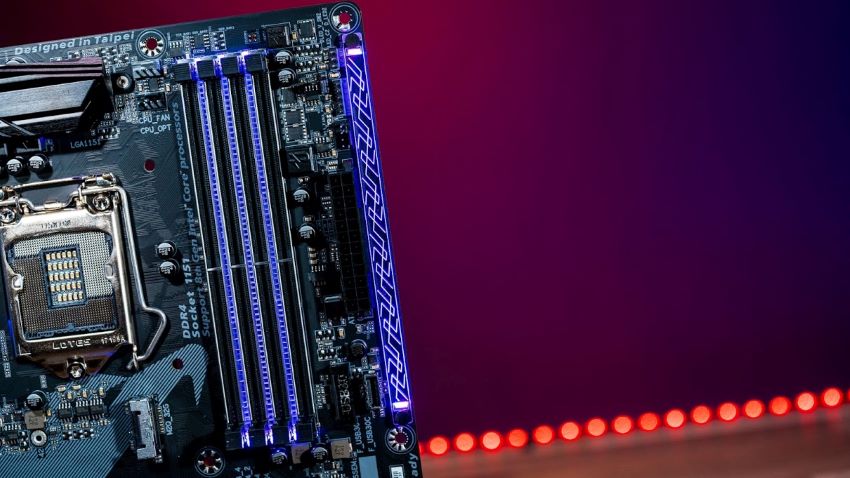
The motherboard must be compatible with your chosen CPU and GPU. Check the CPU socket type and chipset to ensure they match your CPU. Similarly, the motherboard should have the appropriate PCIe slot for your GPU.
Memory (RAM) Selection
RAM, or Random Access Memory, plays a critical role in your gaming PC’s performance by temporarily storing data that your CPU needs to access quickly. More RAM allows your system to handle more tasks simultaneously, which is particularly important in gaming for smooth performance and quick load times.
How Much RAM Do You Need?
- 8GB: This is the minimum recommended for gaming today. It’s sufficient for older or less demanding games, but may struggle with newer titles or multitasking.
- 16GB: The sweet spot for most gamers. It provides enough memory for almost all modern games and allows for smooth multitasking, such as running a game and streaming software simultaneously.
- 32GB: Ideal for gamers who also engage in heavy multitasking, content creation, or future-proofing their system for the latest games and applications.
Storage Options (SSD vs. HDD)
Choosing the right storage for your gaming PC is essential for ensuring fast load times and smooth gameplay. There are two main types of storage to consider: SSDs (Solid State Drives) and HDDs (Hard Disk Drives). Here’s how they compare:
| Feature | SSDs (Solid State Drives) | HDDs (Hard Disk Drives) |
| Speed | Extremely fast, with quick boot times and load speeds | Slower, leading to longer game and system load times |
| Capacity | Typically 250GB to 2TB, higher capacities are available but costly | Larger capacities, usually ranging from 1TB to 8TB or more |
| Cost | More expensive per gigabyte, but prices are decreasing | Cheaper per gigabyte, cost-effective for large storage needs |
| Form Factor | Compact, often installed via M.2 slot for NVMe SSDs | Larger, requires a 3.5-inch bay and more space inside the case |
Power Supply Unit (PSU)
The Power Supply Unit (PSU) is one of the most critical components of your gaming PC, yet it’s often overlooked. A reliable PSU is essential for system stability, ensuring that all your components receive the power they need to function properly. A poor-quality or underpowered PSU can lead to system crashes, component damage, or even complete failure.
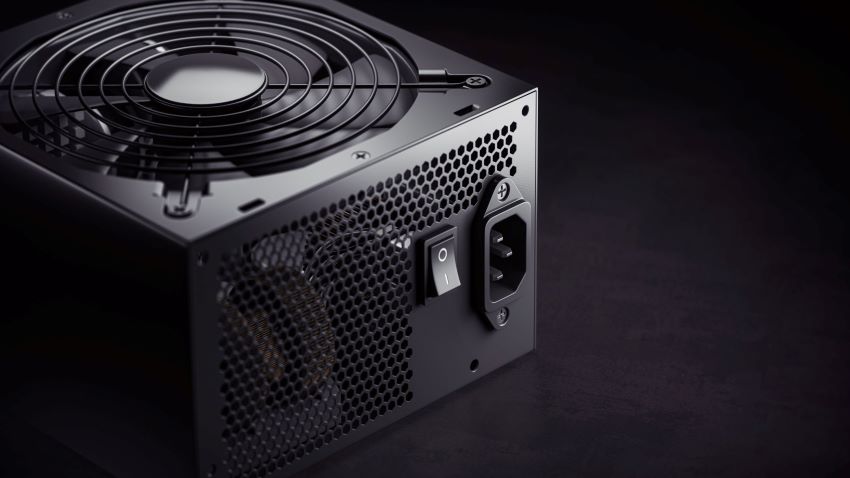
When choosing a PSU, it’s important to calculate the total wattage your system requires. This depends on the power consumption of all your components, particularly the GPU and CPU, which are the most power-hungry parts of a gaming PC.
Choosing the PC Case
Here’s a quick reference table to help you choose the right PC case based on size, airflow, build quality, and aesthetics:
| Factor | Consideration | Explanation |
| Size and Compatibility | Form Factor: ATX, Micro-ATX, Mini-ITX | Ensure the case matches your motherboard’s form factor; larger cases offer more space and better airflow. |
| Component Clearance: GPU, CPU cooler, PSU, radiators | Check if the case has enough space for your components, especially for large GPUs and cooling solutions. | |
| Airflow and Cooling | Fans: Pre-installed, additional fan mounts | Look for good airflow with pre-installed fans and space for additional cooling fans. |
| Radiator Support: Front, top, rear | Ensure space for radiators if using liquid cooling, typically at the front, top, or rear of the case. | |
| Build Quality and Features | Materials: Steel, tempered glass, plastic | Steel and tempered glass provide durability; plastic cases are cheaper but may lack sturdiness. |
| Cable Management: Space, routing options | Adequate space and routing options for clean cable management, improving airflow and aesthetics. | |
| Aesthetic Options: RGB lighting, tempered glass panels, customizable front panels | Choose features that match your style, such as RGB lighting and tempered glass for a premium look. |
Cooling Systems (Air vs. Liquid)
Keeping your components cool is crucial for maintaining your gaming PC’s performance and longevity. During intense gaming sessions, your CPU and GPU generate significant heat, which can lead to throttling (reduced performance) or, in extreme cases, damage if not properly managed. A good cooling system ensures that your PC runs efficiently, even under heavy loads.
| Cooling Type | Pros | Cons |
| Air Cooling | – Affordable: Generally less expensive than liquid cooling systems. | – Limited Cooling: May struggle with very high-end components under heavy loads. |
| – Easy to Install: Simple installation with minimal maintenance. | – Size: Large air coolers can block access to other components or RAM slots. | |
| – Reliable: Fewer parts mean fewer potential points of failure. | – Noise: Can be louder than liquid cooling, especially under heavy load. | |
| Liquid Cooling | – Superior Cooling: Provides better cooling for high-performance builds. | – Costly: More expensive than air cooling systems. |
| – Quieter: Generally quieter since fans don’t have to work as hard. | – Complex Installation: More challenging to install, with potential for leaks. | |
| – Aesthetics: Offers a sleek, modern look, often with customizable RGB lighting. | – Maintenance: Requires more maintenance, such as checking coolant levels. |
Our Top Pick PC Gaming
If building a gaming PC from scratch feels overwhelming, or if you simply prefer a ready-made solution, our top picks for complete gaming PC sets offer a convenient alternative. These pre-built systems are carefully selected to match different budgets, ensuring you get the best performance without the hassle of choosing individual components.
| Budget Level | PC Set | Key Features | Benefits | Pros | Cons | CTA |
| Budget | Acer Nitro 50 | Intel Core i5-12400F, NVIDIA GTX 1650, 8GB RAM, 512GB SSD | Solid 1080p gaming performance at an affordable price | – Affordable price – Reliable brand – Compact design | – Limited upgrade potential – Basic cooling system | Buy the Acer Nitro 50 here |
| Mid-Range | SkyTech Blaze II | AMD Ryzen 5 3600, NVIDIA RTX 3060, 16GB RAM, 1TB NVMe SSD | Excellent balance of power and efficiency for 1440p gaming | – Strong gaming performance – Good cooling – Future-proof components | – Limited storage options – No Wi-Fi card included | Buy the SkyTech Blaze II here |
| High-End | Alienware Aurora R14 | AMD Ryzen 9 5900, NVIDIA RTX 3080, 32GB RAM, 1TB NVMe SSD, 1TB HDD | Unmatched speed, graphics, and multitasking for 4K gaming | – Premium build quality – Excellent customer support – Advanced cooling system | – Expensive – Large, bulky design – Proprietary parts may limit customization | Buy the Alienware Aurora R14 here |
Frequently Asked Questions (FAQs)
1. What are the essential components I need to build a gaming PC?
You need a CPU, GPU, motherboard, RAM, storage (SSD/HDD), power supply, cooling system, and a case to house everything.
2. How do I determine the best CPU and GPU for my gaming needs?
Base your choice on the games you play, resolution, refresh rate, and budget. High-end games need a strong GPU and CPU; balance your budget accordingly.
3. Is it better to buy a pre-built gaming PC or build one myself?
Pre-built PCs are convenient but often cost more with limited customization. Building your own is cheaper, fully customizable, but requires time and effort.
4. How do I ensure compatibility between the components I choose?
Check the motherboard’s compatibility with the CPU, RAM, and GPU. Ensure the power supply meets the wattage needs and that everything fits in the case.
5. What are the most important factors to consider when choosing a power supply for my gaming PC?
Look for the right wattage, an 80 PLUS efficiency rating, good brand reputation, and modular design for cable management.
Conclusion
Selecting the right components is crucial for building a gaming PC that meets your performance expectations and gaming needs. Each part, from the CPU and GPU to the PSU and case, plays a vital role in how your system performs and lasts over time. Taking the time to research and choose the best parts for your budget and gaming style will ensure that your build is powerful, efficient, and tailored to your preferences.
Ready to start your build? Check out our recommended parts list or head over to your favorite retailer to begin assembling your dream gaming PC today. Happy building!